Mod Information
No Ads: Blocks all audio, video, and banner ads for an uninterrupted experience.
Unlimited Skips: Skip as many songs as you want.
High-Quality Streaming: Unlocks "Very High" audio quality streaming. Custom Lyrics: Provides enhanced and customizable lyrics.
Important Note:
-
How to .deb/.deb64 files:
How to Download and Install it on Jailbroken Devices
-
Download the official Spotify app from apple app store and EveeSpotify deb from our website
-
First install swift dependency deb package and then EveeSpotify the deb on your Jailbroken apple device (iPhone or iPad) by using package manager any of these packages manager sileo, cydia, and zebra. Do respring (restart spring board) and done
Open the Spotify App and enjoy.
-
Note: Derootifier can be used to convert rootfull tweaks into rootless or vise-versa.
Link to official repo
https://github.com/haxi0/Derootifier
How to install it on non Jailbroken Devices:
-
Download Spotify.ipa from decript.day and YT Music Ultimate.deb to your windows pc/mac or laptop/macbook.
-
Download and install itunes and icloud directly from apple website not microsoft store version for macbook/mac appstore version is fine.
Itunes 32 Bit
https://www.apple.com/itunes/download/win32
Itunes 64 Bit
https://www.apple.com/itunes/download/win64
iCloud 32-64bit
https://updates.cdn-apple.com/2020/windows/001-39935-20200911-1A70AA56-F448-11EA-8CC0-99D41950005E/iCloudSetup.exe
-
Download and install Sidelodly/PlumeImpactor form their official website/GitHub repo
PlumeImpactor
https://github.com/BoardTM/PlumeImpactor
-
Install the app and sign in with your apple id a verification code will be sent to your idevice if you are using plumeinspector and during sideloding the ipa on Sidelodly
-
Connect your device with their cable to your MacBook/Mac Windows PC/Laptop.
-
Select the download ipa and and the deb and click on install.
-
Wait for the app to install it completely.
-
If the app was successfully installed tap on the install app you will receive a massage untrusted developer/developer mod required to run this app. that massage means the app was successfully installed now you need to trust the developer apple id (your apple id) to use the app.
-
Open settings and to general > vpn and device management and trust your apple id
-
Then go to privacy and find developer option, open it and enable it on ios 17 or above your device request to restart to enable developer options Wait it to restart and follow the on screen instructions to enable developer options your device will request your passcode to enable the developer mode and once it was enabled your device will reboot to lock screen.
Note: For ios 16 or lower your device will only request passcode to enable developer options.
Note 2: You need to repeat the process after 7 days to continue using the app else the app will get expired and no longer useable.
Unlock your device and now you can used the tweak app.
For more information Read our detail sideloding guide with different methods of sideloding with or without pc.
What's New
-
Added support for Spotify 9.0.96 Fixed lyrics not displaying for local tracks
-
Fixed blank lyrics on app launch
-
Possibly fixed "Songs play in random order" (Reset Data in EeveeSpotify settings)
About This App/Game
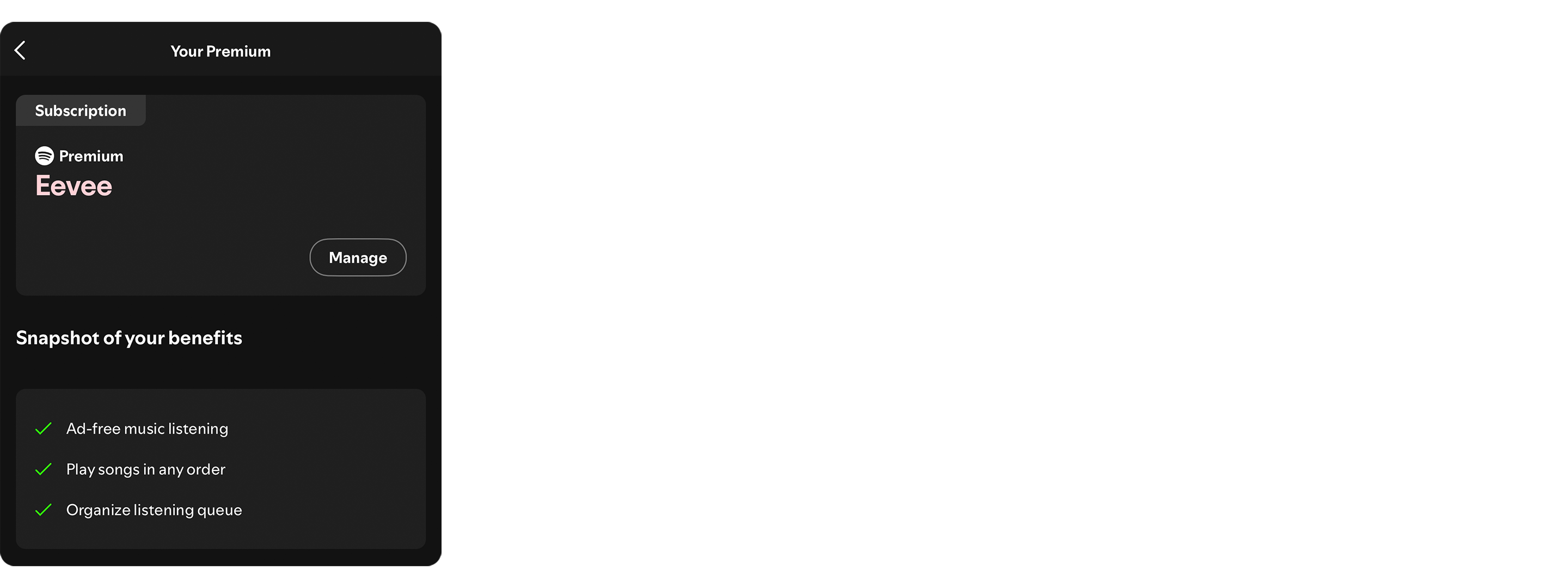
This tweak makes Spotify think you have a Premium subscription, granting free listening and providing some additional features like custom lyrics.
Screenshots
Version History
| Version | Size | Date | Download |
|---|---|---|---|
| 6.2.2 (Latest) | 1.81 MB | 3/8/2026 | Download |
No reviews yet. Be the first to leave one!